Ajay Kumar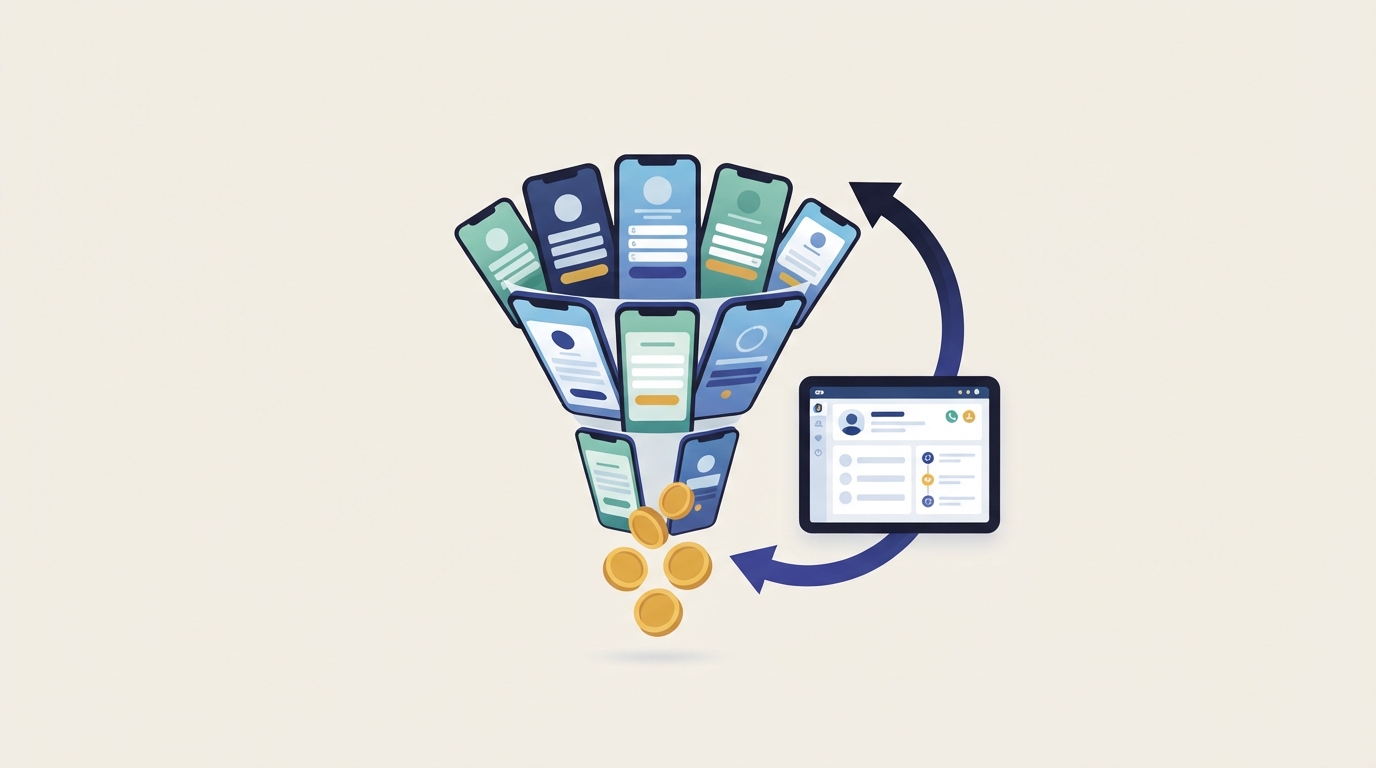
Quick answer: how do you optimize Meta ads for lead generation?
Meta ads optimization for lead generation means training Meta to find leads who buy, not just leads who fill forms. You choose the right route (Instant Form, WhatsApp or website), filter junk inside the form, send CRM sales stages back through the Conversions API, follow up within minutes, and judge results on cost per customer.
Why cheap Meta leads often don't turn into revenue
Cheap leads fail because Meta's default lead setup rewards form fills, not sales. With Advantage+ on, a More volume form and the Maximize leads goal, Meta finds the people most likely to submit a form. That group is not the same as the people most likely to buy.
Meta only sees the submission. If your CRM never tells Meta which leads became customers, it has no way to learn what a good lead looks like. This article covers lead generation only. For wider account work, see our complete 2026 guide to Meta ads optimization.
Judge leads on cost per customer
CPL means cost per lead: ad spend divided by leads. It hides close rate, which is the number that decides profit. A higher CPL with a higher close rate often wins by a wide margin.
Worked example: two lead setups at ₹30 lakh a month
Example only, with round numbers. An education brand sells a ₹60,000 course and spends ₹30 lakh a month on Meta leads.
Step 1: Work out cost per customer for each setup
Setup A uses a More volume form and Maximize leads. Setup B uses a Higher intent form with a qualifying question and Conversion Leads.
Cost per customer = CPL ÷ close rate
Setup A: ₹300 ÷ 2% = ₹15,000 per customer (10,000 leads, 200 customers)Setup B: ₹800 ÷ 10% = ₹8,000 per customer (3,750 leads, 375 customers)
Step 2: Compare against what a customer is worth
After tax, delivery costs and refunds, each sale leaves ₹24,000 of contribution. Setup A earns ₹9,000 per customer, or ₹18,00,000 a month. Setup B earns ₹16,000 per customer, or ₹60,00,000 a month, and the sales team calls 6,250 fewer people.
The break-even CPL is contribution per sale multiplied by close rate. Here that is ₹480 at a 2% close rate and ₹2,400 at 10%. The same logic sits behind break-even ROAS for e-commerce.
Pick the lead route by market and deal size
Choose Instant Forms for volume and Conversion Leads, click-to-WhatsApp for conversational markets, and website forms when buyers need detail first. The right answer depends on where your buyers are and how much the sale is worth.
| Route | Best fit | How Meta optimizes it | Watch out for |
|---|---|---|---|
| Instant Form | Most markets and price points, with filtering | Maximize leads or Conversion Leads (the only route that supports it) | Low friction brings junk unless the form filters |
| Click-to-WhatsApp | India, the Gulf, South-East Asia; consultative mid-ticket sales | Leads objective with WhatsApp as the destination, or conversation optimization | Needs fast replies, by a person or a bot |
| Website form | High-ticket, B2B, products that need explaining | CRM events sent back through the Conversions API | Higher CPL and landing-page drop-off |
Meta case studies, as summarised by Spur, suggest the WhatsApp choice matters. Nutryfit, in India and the Gulf, moved from conversation optimization to lead optimization and saw 12% lower cost per lead in an April 2025 A/B test. Learnwise in India used WhatsApp Flows, which are structured forms inside WhatsApp, and got 4 times more qualified leads at 31% lower cost per qualified lead (Spur summary of Meta case studies).
Those are single brands, not rules. Our rule of thumb: in WhatsApp-first markets, run Instant Form against click-to-WhatsApp as an A/B test for 2-3 weeks, then choose on cost per customer, not CPL.
Build the Instant Form to filter, not just collect
A good form removes weak leads before they reach your sales team. Third-party guides describe three Instant Form types: More volume (the default), Higher intent, which adds a review screen, and Rich creative. Check the options in your own form editor.
Form type changes where ads can run. Several guides citing Meta's Help Center say Higher intent forms deliver only to Facebook Feed and Instagram feed on mobile, not desktop; we could not confirm this on a Meta page directly. So a Higher intent cell reaches fewer placements, and its CPL is not a like-for-like comparison with a More volume cell.
Junk-lead controls worth switching on
- Phone verification: Higher intent forms offer an option to require a one-time passcode for phone verification, according to third-party walkthroughs of the form editor.
- Work email for B2B: ask for a work address instead of a personal one.
- One predictive question: a multiple-choice question such as budget, timeline or city, with conditional logic that ends the form for disqualified answers.
- Short length: guides citing Meta's Help Center put the limit at 15 questions, but every extra question costs volume.
- Next step on the thank-you screen: a WhatsApp link or a calendar booking link.
Third-party guides report that once a form is live, you have to duplicate it to change anything. Check question wording, conditional logic, privacy policy link, thank-you screen links and CRM field mapping before you publish.
Conversion Leads: send sales outcomes back to Meta
Conversion Leads is the performance goal that tells Meta to find people who reach a chosen CRM stage, not just people who submit. According to Meta's lead ads page, it is currently only available for Instant Forms. Choosing it does not switch on the CRM connection for you.
There are two separate integrations. Lead retrieval pulls leads from Meta into your CRM. The Conversions API (CAPI) integration sends lead stages from your CRM back to Meta. Conversion Leads needs the second one.
Requirements checklist
- Instant Forms as the lead route.
- About 200 leads a month. One source says about 250, so aim above 250 to be safe.
- The Meta lead ID stored on every CRM record and sent with each stage event.
- CRM stage data uploaded at least daily.
- A target stage that 1-40% of leads reach within 28 days.
Choosing the stage to optimize for
Pick the deepest stage that still fits the 1-40% and 28-day limits. For long sales cycles, "won" is usually too late or too rare, so use a reliable proxy. Our rule of thumb: aim for a stage that roughly 10-30% of leads reach, which keeps you well inside the limits.
| Business type | Stage that often fits | Why |
|---|---|---|
| D2C brand using callbacks | Contacted and qualified | Happens within days and separates real buyers from curious fillers |
| Clinic or wellness service | Appointment booked | Strong intent signal, usually within the window |
| B2B software or services | Sales-qualified lead | Deals often close after 28 days |
| Real estate | Site visit scheduled | Bookings are too rare and too slow |
Meta's figure, reported by third parties, is about 21% lower cost per quality lead for Instant Form campaigns using Conversion Leads (SalesGem). Prove it in your own account by testing a Conversion Leads cell against your current Maximize leads cell.
If you use website forms, send a qualified-lead event from your CRM through CAPI with good matching data, and optimize to that event once volume allows. Our Pixel and Conversions API setup guide covers the plumbing.
Speed-to-lead decides the quality signal Meta learns from
Fast follow-up turns more leads into customers, and it also improves the data Meta learns from. If a good lead waits 2 days and goes cold, your CRM marks it unqualified. Meta then learns that people like this person are bad leads.
Follow-up setup that protects your data
- Automate lead retrieval into the CRM. Manual CSV downloads add delay and lose lead IDs.
- Send an automatic WhatsApp or SMS message the moment a lead arrives.
- Our rule of thumb: a human call within 15 minutes during working hours, and first thing next morning for late-night leads.
- Log every outcome, including "no answer", so stage data stays honest.
For click-to-WhatsApp, Meta's pricing documentation says messages sent within the 72-hour free entry point window opened by an ad are free for message delivery (Meta Business Agent token charges excepted). That gives your team three days to qualify the lead without paying per message. After that, standard per-message rates apply, so check Meta's current rate card for your market.
Measure lead quality in the CRM, not only in Ads Manager
Your CRM is the source of truth for lead quality. Ads Manager tells you about form fills, and since 2026 even that number needs care.
Meta announced in October 2025 that the 7-day and 28-day view attribution windows would leave the Ads Insights API on 12 January 2026, as reported by PPC Land. Dashboards and reports that pull from the API can show fewer leads with no real change in results. Do not compare this year's reported leads with last year's without checking the attribution setting.
The numbers to track
- Cost per qualified lead: spend ÷ leads that reach your qualified stage.
- Cost per customer: spend ÷ leads that buy.
- Lead-to-sale rate: customers ÷ total leads.
- Lead count gap: Ads Manager leads vs CRM leads for the same dates.
Review quality on a 7-14 day cadence, not daily. Sales stages take days to fill in, so daily quality reads are mostly noise.
Benchmarks: use them carefully
Published benchmarks are mostly from the US. WordStream's 2026 data shows dental services costing about 5 times more per lead than career and employment. Focus Digital's North American study found Lead Form Ads 31% cheaper per lead than Instant Experience Ads. Most India, Gulf and UK figures come from agencies, not Meta, so treat them as rough guides. Your break-even CPL from the earlier example is a better target than any benchmark.
What most guides get wrong about Meta lead campaigns
Many ranking guides still give advice from before the 2025 Advantage+ changes. Here are the corrections.
- "Conversion Leads optimizes for website visits after the form, and you switch at 50 events a week." It optimizes for CRM stages sent through CAPI and matched by lead ID, with the requirements listed above.
- "Keep each ad set above 50,000 people." Third-party guides report that Advantage+ Audience is on by default and treats targeting inputs as suggestions, with location, minimum age, excluded custom audiences and language as the hard controls.
- "Exclude low-quality interest segments." Industry reports say Meta removed detailed targeting exclusions in 2025, so check what your Ads Manager still offers. Excluding with custom audiences, such as existing customers or junk-lead lists, is the safer route.
- "Higher intent forms run everywhere." Guides citing Meta's Help Center say they run only on mobile Facebook and Instagram feeds.
- "The free WhatsApp window is 72 hours." This one is still right: Meta's pricing documentation says the free entry point window is 72 hours.
Third-party guides report that leads campaigns now have Advantage+ on by default, and that narrowing settings too far switches it off. In early tests Meta reported 10% lower cost per qualified lead with Advantage+ on (Search Engine Land). Your creative now does most of the targeting, so vary hooks and formats by buyer type. Meta's Opportunity Score, reported to be rated 0 to 100, is a useful checklist, but it scores setup, not lead quality. More detail is in our Advantage+ campaigns explainer.
A 30-day plan to improve lead quality
Fix the data first, then change the optimization goal. Changing goals on top of broken tracking just teaches Meta faster from bad data.
- Week 1, audit: check form type, verification, qualifying question, thank-you screen, and whether lead retrieval stores the lead ID. Measure speed to first contact.
- Week 2, define the stage: agree the stage definition with sales, check that 1-40% of leads reach it within 28 days, and start daily CAPI uploads.
- Week 3, test: launch a Conversion Leads cell next to your current campaign with a similar budget. Avoid edits so both cells can get through learning; see how to exit the learning phase faster.
- Week 4, decide: compare cost per qualified lead and cost per customer. Scale the winner gradually and set a weekly CRM-vs-Ads Manager reconciliation.
Check that your sales team can handle more qualified leads. Doubling budget on a team that already calls late will push lead quality down again.
Read next in this series
Key takeaways
- Judge lead campaigns on cost per customer and cost per qualified lead, never on raw cost per lead (CPL).
- Conversion Leads only works with Instant Forms. It needs about 200 leads a month, daily CRM uploads, the Meta lead ID, and a stage that 1-40% of leads reach within 28 days.
- In India, the Gulf and South-East Asia, test Instant Forms against click-to-WhatsApp on cost per customer before choosing one.
- Slow follow-up makes good leads look bad in your CRM, and Meta then learns from the wrong signal.
- Since 12 January 2026, reported leads can drop with no real change, so reconcile Ads Manager against your CRM.
Meta ads optimization: frequently asked questions
What is the difference between Maximize leads and Maximize conversion leads on Meta?
How many leads do I need before I can use Meta's Conversion Leads goal?
Does Conversion Leads work with website forms or only Instant Forms?
Should I use More Volume or Higher Intent Instant Forms?
Are click-to-WhatsApp ads better than lead forms in India?
Which CRM stage should I send back to Meta if my sales cycle is longer than 28 days?
Why did my reported Meta leads drop in 2026 when nothing changed?
How fast should I follow up with a Meta lead?
Sources
- Meta: Lead ads with Instant Forms
- Search Engine Land: Meta Advantage+ campaign setup for leads campaigns
- WordStream: Facebook Ads Benchmarks 2026
- Spur: Click-to-WhatsApp ads benchmarks and Meta case studies
- SalesGem: Conversion leads optimization with your CRM

Ajay is the founder of ScaleWin. He works hands-on with Meta Ads, Google Ads and SEO for Indian D2C and service brands, and built ScaleWin so that the daily work of a performance marketer - reading numbers, pausing losers, scaling winners - happens automatically.
Drafted with AI assistance. How these articles are written
Let ScaleWin read your ad data every day
ScaleWin checks your Meta and Google Ads daily, judges every ad on profit and tells you exactly what to change.
Start your 3-day free trial